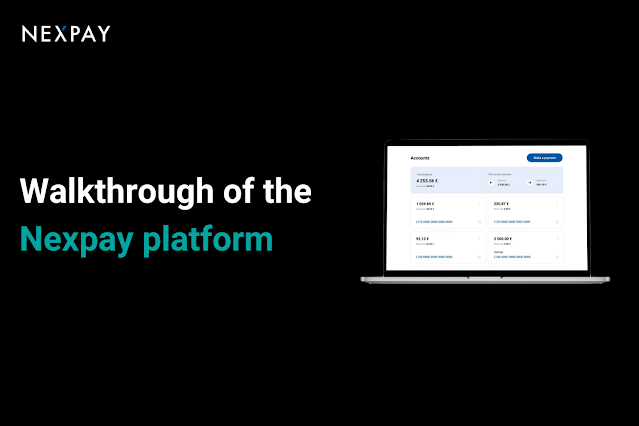
We are happy to share that during the past month we have introduced several improvements to Nexpay’s usability, such as:
Possibility to manage more than 1 IBAN through the platform. Now you can manage and open up to 6 IBAN accounts by yourself, once we have set up the first one for you.

Internal transfers. We have made it easier to transfer funds between your accounts in just a few clicks. You only need to choose the debit account, credit account, enter the amount and make the transfer.
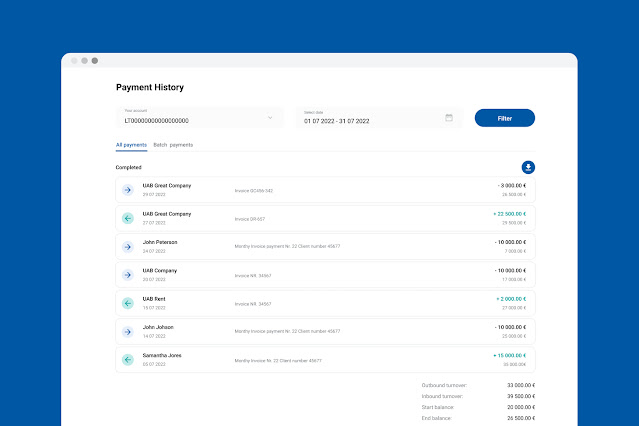
Redesigned payments history section. The goal was to make it easier to oversee the past payments and navigate between different types of payments.
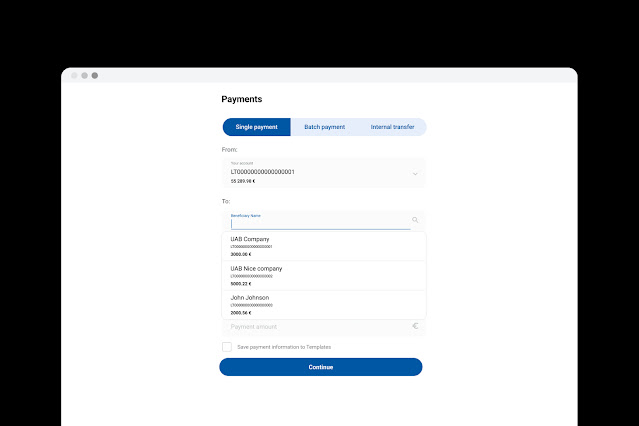
Easier repeated payments. You can choose from the up to 50 distinct past beneficiaries, when making a new payment.
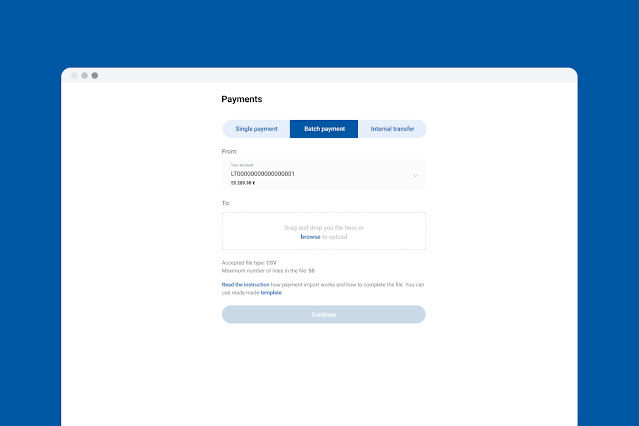
Batch payments upload. Now you can upload a .csv file with up to 50 payments, and execute them together. File needs to be formatted according to the provided template, and contain Beneficiary name, Beneficiary account number., Beneficiary address (optional), Payment details, Amount and Internal payment ID (optional). The full instructions are available in the payments section of the platform.
In addition to the above, we are very excited to share that we are currently working on a major upgrade to Nexpay’s offer. Next to EUR IBANs and SEPA payments the upgrade will include new currencies and new payment methods.